# Adobe Professional HELP? Computer Wizz's Please help ASAP!
**URL:** https://forums.speedlife.net/t/adobe-professional-help-computer-wizzs-please-help-asap/193557
**Category:** PittSpeed Off Topic
**Created:** [November 9, 2007, 11:35am UTC](https://forums.speedlife.net/t/adobe-professional-help-computer-wizzs-please-help-asap/193557 "2007-11-09T11:35:52Z")
**Posts on this page:** 9
**Page:** 1
### Author:  [@ZEX350Z](https://forums.speedlife.net/u/ZEX350Z)
#### Post date: [November 9, 2007, 11:35am UTC](https://forums.speedlife.net/t/adobe-professional-help-computer-wizzs-please-help-asap/193557/1 "2007-11-09T11:35:52Z")
So, I have two different product sheets. I have Adobe Acrobat 8 Professional. I need to “copy” one image from 1 document, to another document. It seems simple enough but can’t get it to work. Is it even possible with this product? F\*\*\* Adobe! I have access to putting photoshop on my PC as well if that would help. We had an advertising agency make us these product sheets but I can’t edit them at all, well, just text in them - no images.
---
### Author:  [@berad](https://forums.speedlife.net/u/berad)
#### Post date: [November 9, 2007, 11:53am UTC](https://forums.speedlife.net/t/adobe-professional-help-computer-wizzs-please-help-asap/193557/2 "2007-11-09T11:53:42Z")
You could edit the pdf in PS
---
### Author:  [@fshowcars](https://forums.speedlife.net/u/fshowcars)
#### Post date: [November 9, 2007, 12:13pm UTC](https://forums.speedlife.net/t/adobe-professional-help-computer-wizzs-please-help-asap/193557/3 "2007-11-09T12:13:37Z")
print screen
---
### Author:  [@4doors5gears](https://forums.speedlife.net/u/4doors5gears)
#### Post date: [November 9, 2007, 12:36pm UTC](https://forums.speedlife.net/t/adobe-professional-help-computer-wizzs-please-help-asap/193557/4 "2007-11-09T12:36:31Z")
> [@The adirondacks/lake placid/saranac lake/tupper lake](https://forums.speedlife.net/t/the-adirondacks-lake-placid-saranac-lake-tupper-lake/33382/5):
>
> print screen
---
### Author:  [@ZEX350Z](https://forums.speedlife.net/u/ZEX350Z)
#### Post date: [November 9, 2007, 1:09pm UTC](https://forums.speedlife.net/t/adobe-professional-help-computer-wizzs-please-help-asap/193557/5 "2007-11-09T13:09:08Z")
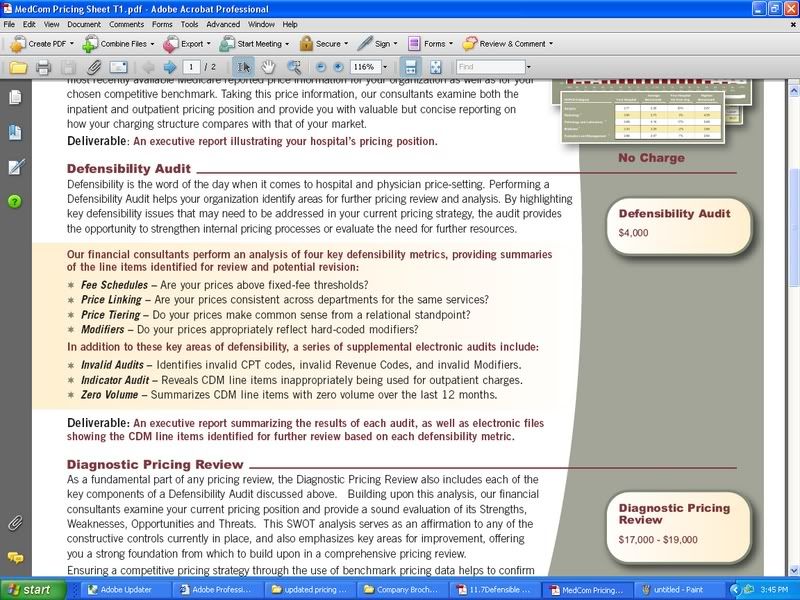
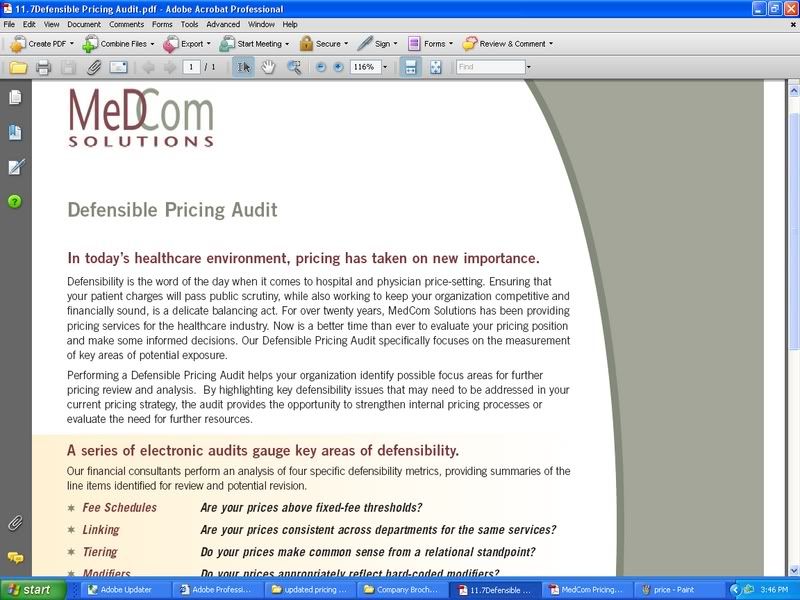
So, I need to take the “Bubble” with the $4000 price(Right side of first page) and move it to the document with no prices on it. I would still like to be able to edit the text in that “bubble” after moving it if possible. They are in .pdf format. I have to do this on about 15 documents and would rather not send them out to our advertising agency to do so. Thanks for the help guys!
Here are the pics:
---
### Author:  [@ZEX350Z](https://forums.speedlife.net/u/ZEX350Z)
#### Post date: [November 9, 2007, 2:26pm UTC](https://forums.speedlife.net/t/adobe-professional-help-computer-wizzs-please-help-asap/193557/6 "2007-11-09T14:26:49Z")
anyone? Could really use some help by tmrw morning.
---
### Author:  [@DC300M01](https://forums.speedlife.net/u/DC300M01)
#### Post date: [November 9, 2007, 5:31pm UTC](https://forums.speedlife.net/t/adobe-professional-help-computer-wizzs-please-help-asap/193557/7 "2007-11-09T17:31:22Z")
Can you provide the PDF docs?
---
### Author:  [@ZEX350Z](https://forums.speedlife.net/u/ZEX350Z)
#### Post date: [November 9, 2007, 6:47pm UTC](https://forums.speedlife.net/t/adobe-professional-help-computer-wizzs-please-help-asap/193557/8 "2007-11-09T18:47:40Z")
yea but I need to know how to do it personally as I have many of them to do. I think that I need to use Illustrator which I also have.
---
### Author:  [@imported\_Jon](https://forums.speedlife.net/u/imported_Jon)
#### Post date: [November 10, 2007, 12:34pm UTC](https://forums.speedlife.net/t/adobe-professional-help-computer-wizzs-please-help-asap/193557/9 "2007-11-10T12:34:04Z")
Editing PDFs…you don’t have the file that they were before saved for viewing?