# LCD for Gaming
**URL:** https://forums.speedlife.net/t/lcd-for-gaming/20713
**Category:** NYSpeed Off Topic
**Created:** [November 27, 2006, 8:16am UTC](https://forums.speedlife.net/t/lcd-for-gaming/20713 "2006-11-27T08:16:32Z")
**Posts on this page:** 11
**Page:** 1
### Author:  [@JaysGreenLX](https://forums.speedlife.net/u/JaysGreenLX)
#### Post date: [November 27, 2006, 8:16am UTC](https://forums.speedlife.net/t/lcd-for-gaming/20713/1 "2006-11-27T08:16:32Z")
I am thinking about buying an LCD monitor for gaming purposes. The idea is that I would hook up an Xbox 360 or PS3 to this monitor and play it at my computer desk which is large enough to support a few monitors.
The question is, what should I be looking for as far as specs so that I will be able to run either system at the highest quality?
I was thinking about getting this one:
[http://accessories.us.dell.com/sna/productdetail.aspx?c=us&l=en&s=dhs&cs=19&sku=320-5123](http://accessories.us.dell.com/sna/productdetail.aspx?c=us&l=en&s=dhs&cs=19&sku=320-5123)
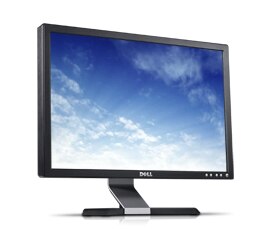
Will this suffice?
---
### Author:  [@JCuz](https://forums.speedlife.net/u/JCuz)
#### Post date: [November 27, 2006, 8:31am UTC](https://forums.speedlife.net/t/lcd-for-gaming/20713/2 "2006-11-27T08:31:32Z")
the lower the response time the better, so 5ms is good
the higher the contrast ratio the better(distinction between whites and blacks)
Brightness is measured as 300cd/m2, higher the better
# of Hz the screen can run at certain resolutions, 60 Hz and above will do fine
---
### Author:  [@ryanmcell](https://forums.speedlife.net/u/ryanmcell)
#### Post date: [November 27, 2006, 8:47am UTC](https://forums.speedlife.net/t/lcd-for-gaming/20713/3 "2006-11-27T08:47:19Z")
20" dells are very nice, ive had no problems in the past for gaming, and they can be had cheap now…
---
### Author:  [@ILCisDEAD](https://forums.speedlife.net/u/ILCisDEAD)
#### Post date: [November 27, 2006, 8:51am UTC](https://forums.speedlife.net/t/lcd-for-gaming/20713/4 "2006-11-27T08:51:44Z")
should be ok, 5ms will have minimal ghosting… if any that is notice able
anyone play games on a widescreen… just curious to see how it is
---
### Author:  [@JaysGreenLX](https://forums.speedlife.net/u/JaysGreenLX)
#### Post date: [November 27, 2006, 10:32am UTC](https://forums.speedlife.net/t/lcd-for-gaming/20713/5 "2006-11-27T10:32:31Z")
> [@JCuz](#):
>
> the lower the response time the better, so 5ms is good
> the higher the contrast ratio the better(distinction between whites and blacks)
> Brightness is measured as 300cd/m2, higher the better
>
> # of Hz the screen can run at certain resolutions, 60 Hz and above will do fine
Cool. Thats exactly the kind of info I was looking for. Unfortunately this will have to do until I buy a house or can convince my wife that a 60" LCD is “necessary”.
---
### Author:  [@\_Karu](https://forums.speedlife.net/u/_Karu)
#### Post date: [November 27, 2006, 10:37am UTC](https://forums.speedlife.net/t/lcd-for-gaming/20713/6 "2006-11-27T10:37:48Z")
should get one with HDCP compliant…
also component input…
this gateway 22" will be a good option
[http://gateway.com/home/products/hm\_dis\_catalog.shtml?cmpid=index_home_tab\_consumer_displays_catalog\_displays](http://gateway.com/home/products/hm_dis_catalog.shtml?cmpid=index*home*tab_consumer*displays*catalog_displays)
or the 24" will be the sweetest of all with it’s 1080p
---
### Author:  [@JaysGreenLX](https://forums.speedlife.net/u/JaysGreenLX)
#### Post date: [November 27, 2006, 10:43am UTC](https://forums.speedlife.net/t/lcd-for-gaming/20713/7 "2006-11-27T10:43:46Z")
> [@\_Karu\_](#):
>
> should get one with HDCP compliant…
>
> also component input…
>
> this gateway 22" will be a good option
>
> [http://gateway.com/home/products/hm\_dis\_catalog.shtml?cmpid=index_home_tab\_consumer_displays_catalog\_displays](http://gateway.com/home/products/hm_dis_catalog.shtml?cmpid=index*home*tab_consumer*displays*catalog_displays)
>
> or the 24" will be the sweetest of all with it’s 1080p
I was looking at those earlier today actually. I was surprised at the price of the 22"
---
### Author:  [@ILCisDEAD](https://forums.speedlife.net/u/ILCisDEAD)
#### Post date: [November 27, 2006, 12:08pm UTC](https://forums.speedlife.net/t/lcd-for-gaming/20713/8 "2006-11-27T12:08:38Z")
IMHO i would go with dells 20inch (non widescreen) with the 1600 X 1200 reso
or the 24" ultra sharp widescreen with the 1920 X 1200
---
### Author:  [@skiboarder72](https://forums.speedlife.net/u/skiboarder72)
#### Post date: [November 28, 2006, 12:11pm UTC](https://forums.speedlife.net/t/lcd-for-gaming/20713/9 "2006-11-28T12:11:58Z")
i have the same monitor and it is great, very sharp and works great for gaming
---
### Author:  [@Xrunner](https://forums.speedlife.net/u/Xrunner)
#### Post date: [November 28, 2006, 12:28pm UTC](https://forums.speedlife.net/t/lcd-for-gaming/20713/10 "2006-11-28T12:28:01Z")
> [@skiboarder72](#):
>
> i have the same monitor and it is great, very sharp and works great for gaming
Same here worked great… but little small for some games… gears of war looks so much better on a 40"lcd
---
### Author:  [@BuickGN](https://forums.speedlife.net/u/BuickGN)
#### Post date: [November 28, 2006, 12:34pm UTC](https://forums.speedlife.net/t/lcd-for-gaming/20713/11 "2006-11-28T12:34:04Z")
i just got the 24 ultrasharp dell, and it kicks ass, they got a sale on now so it only cost me 640.00